


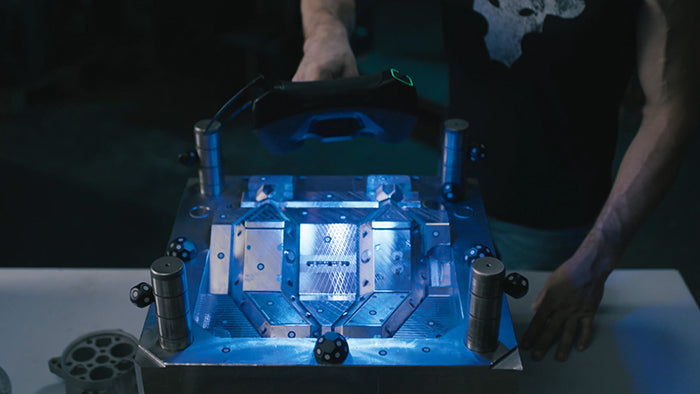
With wide fields of view and continuous acquisition, 3D scanners like the MetroY series and MIRACO series make it easy to scan entire objects or assemblies without stopping to consider how much data will actually be used. In many workflows, the challenge is not how finely to scan, but how much the object truly needs to be captured.
Collecting as much detail as possible can feel like a safe choice during a scan. After all, if everything is captured, important features are unlikely to be missed. However, in practice, this approach often results in slower workflows, larger file sizes, and extra time spent managing data rather than using it. Let’s take a look at how much surface data you should actually capture.
Scanning With Intent
Effective scans begin with a clear idea of the end purpose. For example, something being captured for fit verification, reverse engineering, or visual reference does not require complete coverage of every surface.

Often, internal faces, obscured regions, or non-functional areas don’t need to be captured to achieve the scan’s end goal. In other words, better results and more efficient workflows can be achieved when a scan focuses on relevant geometry rather than one on completeness for its own sake.
How Full Coverage Works Against You
Firstly, it can introduce unnecessary complexity into the scanning process, prolonging the scan, for example, by requiring more markers or multiple scans to cover all surfaces. On top of that, the additional captured data will make fusion, meshing, and other post-processing tasks take longer. Finally, it’ll unnecessarily increase the file size, taking up more storage, increasing load and transfer times.
How to Decide What to Capture
Experienced users approach scanning as a selective process, by first identifying functions, surfaces, key features, and critical interfaces before scanning. For example, if you wanted to check the hole placement on newly manufactured wall brackets, you would only need to scan one side of the fixture's holes, capturing only the areas with holes.

In other words, exclude areas that don’t influence measurements, fit, or downstream modeling. This strategic approach to scanning yields faster, more consistent results and models that are easier to edit, share, and reuse.
As with all tools, effective use depends on making deliberate choices about where and how to use them. Scanning every surface may feel thorough, but it often introduces unnecessary work without improving outcomes. Focusing on surfaces that serve a clear purpose leads to simpler workflows, faster processing, and easier-to-use data.



Hinterlasse einen Kommentar
Diese Website ist durch hCaptcha geschützt und es gelten die allgemeinen Geschäftsbedingungen und Datenschutzbestimmungen von hCaptcha.