


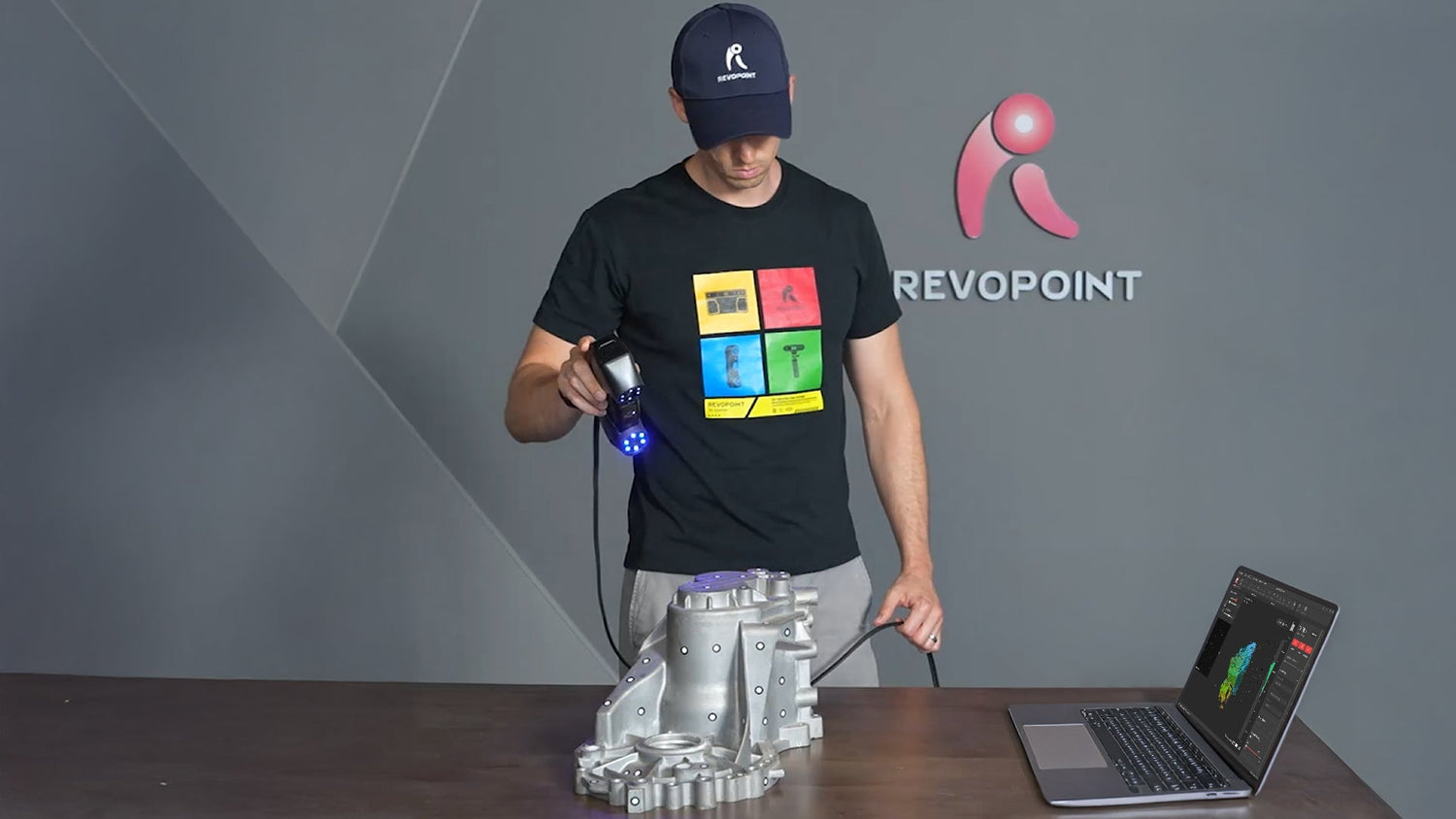
In manufacturing, inspection reliability is only as good as the processes that support it. Even with a 3D scanner, an inspection process can still miss faults for various reasons. Unless you institute a strict workflow that ensures consistent data collection.
Fortunately, creating a repeatable workflow is pretty straightforward, requiring a clearly structured method of scanning, processing, and reviewing. In this article, we’ll lay out how to create an inspection structure that ensures consistency every time.
Set a Clear Inspection Objective
First things first, any repeatable inspection workflow needs to clearly state the inspection goal. Think in terms of setting what features need to be measured, what the tolerances are, and what the scan will be compared to to check its accuracy.
For example, if you’re inspecting a machined bracket, you first need to decide what aspects to verify. Perhaps it’s the hole spacing, flatness, overall deformation, or maybe all of them, depending on the requirements. It’s important to do this because it eliminates operators making ad hoc decisions about what to check and helps determine the scan's structure.
Standardize the Scanning Environment
Different scanning area conditions lead to different scanning outcomes, even if using the most accurate 3D scanners. Preventing this from happening requires you to clearly lay out the environment’s setup. When creating your environmental setup guidelines, consider the lighting, the distance between the scanner and the object, the object’s surface prep, and where the part will be placed during the scan.
Ideally, the scanning area should have stable, diffuse lighting that evenly and consistently illuminates the object. The scanner’s distance from the object should also stay consistent. You can do this by marking out a placement area or by fixing it in place with a jig or tripod. Also, you need to place the item being scanned in the same position every time; using fixtures or positioning our lines can help you do this.

For the object’s surface preparation, it depends heavily on the object’s properties. If you’re dealing with an object that mainly has flat, featureless surfaces, you’re going to need to place markers. If possible, to ensure maximum consistency, it’s better to create a fixed marker-rich environment around the object rather than placing markers directly on it. However, if unavoidable, create a reference picture detailing where the markers should be placed.

If the workpiece has shiny, dark, or transparent areas, you may need to use scanning spray, depending on your scanner’s type. For consistent application of scanning spray, set a distance to spray from, the motion the can should follow, and the spray time to follow when applying it.
Set Consistent Scan Settings
Unsurprisingly, using different scan settings can significantly affect data repeatability. So it’s essential that every scan uses the same settings for everything from accuracy and exposure to the tracking/alignment method.
Standardize the Scanning Process
Even in a controlled environment with fixed settings, variations in how an operator performs the scan can introduce inconsistencies. To ensure repeatable results, the physical scanning process must be clearly defined and documented.
Start by specifying the scan path and sequence. Operators should follow the same pattern, including travel direction, overlap, and surface capturing order. For complex parts, break the scan into stages (e.g., top surfaces, then sides, then the underside) rather than free-form scanning.
Next, define the scanner motion parameters. This involves keeping a steady scanning speed, angle of incidence, and stand-off distance throughout the process. Moving too fast can lower data density, while inconsistent angles can impact tracking accuracy and surface quality. Using visual guides, diagrams, or brief reference videos can help operators maintain consistency.
Define the Post-processing
As with scan settings, the post-processing procedure needs to be clearly defined, as different settings can quickly compromise data quality in an inspection workflow. Generally speaking, point cloud fusion and meshing settings should be set to whatever best meets your inspection objective.

When it comes to other post-processing settings like smoothing, hole removal, simplification, isolated point detection, etc, cautious use is recommended as setting a high threshold can negatively impact the quality of your data. For example, excessive smoothing can erase subtle yet significant deviations and fine details.
Use a Stable Reference for Comparison
Once the scan is aligned and processed, compare it to a reference model to verify that the scanned object meets the inspection criteria. Ideally, this reference should be a CAD file. If no CAD file exists, compare it to a previous scan from a previous production batch. The key thing is that the reference is consistent across inspections.
This process can be performed in specialized measurement software like Revo Measure. In the software, you can check: Deviation hotmaps for a quick visual overview of where the part differs from the reference. Cross-sections enable an accurate dimensional check along specific planes. Feature-to-feature measurements to verify critical interfaces such as hole diameters, boss heights, or slot widths. For more advanced verification, Revo Measure’s GD&T analysis can measure flatness, cylindricity, position, and other tolerance-driven characteristics.
As with previous steps, this verification process should be laid out step by step to ensure consistency and repeatability in your inspection workflow.
Document the Inspection
Inspection is not complete until it’s documented. A repeatable workflow requires a reporting format that captures not only the results but also the conditions under which those results were produced.

An inspection report, like those exported from Revo Measure, should include: scanner model and settings, operator’s name, alignment method, post-processing steps, as well as deviation map, key measurements, and any notes on anomalies or unexpected geometry. This documentation ensures that the inspection can be audited, repeated, or reviewed by another engineer without losing context.
In manufacturing, traceability is everything, and this documentation will build the foundation of quality assurance.
Implement Improvements
Now that you’ve created your repeatable inspection workflow, it’s time to start leveraging the data it generates to improve your manufacturing process.
For example, if the deviation map generated across multiple inspections shows consistent drift in a particular direction, tooling wear may be the cause. If hole positions vary across batches, fixture alignment may need adjustment. If deformation appears after assembly, the process itself may be introducing stress.
By spotting and analyzing trends across multiple inspections, you can more easily identify root causes of issues, validate corrective actions, and prevent defects from compounding.
Repeatability Equals Quality Control
3D scanners like the MetroY series or Trackit can capture geometry with remarkable accuracy, but accuracy alone does not guarantee reliable inspection. Repeatability does. And the only way to ensure repeatability is to create a standardized workflow, from measure objective to corrective action, to ensure that every scan accurately reflects the part, not the operator or the environment.


Leave a comment
This site is protected by hCaptcha and the hCaptcha Privacy Policy and Terms of Service apply.