





- Photos
Scan-to-CAD Software
Advanced Tools
Revo Measure – Professional 3D Measurement and GD&T Software
🎁 Dieser Rabattcode ist exklusiv für bestehende 3D-Scanner-Kunden.
ꔷ Präzise Dimensionsmessung
ꔷ GD&T-Analyse (Geometrische Produktspezifikation)
ꔷ Modellabweichungsanalyse
ꔷ Schnittstellenerstellung und -messung
ꔷ Importieren Sie mehrere Formate: PLY, OBJ, STL, PTS usw.
ꔷ Messbericht-Export
ꔷ Benutzerfreundliche Oberfläche
ꔷ Texture-Mapping-Visualisierung
Revo Measure: Add-on-Pakete ➡
Starten Sie ihre kostenlose 15-Tage-Testversion ➡
Monatsplan
Jederzeit kündbar
📩 Ihr Aktivierungscode wird nach dem Kauf per E-Mail versendet. 📬
Usually, free shipping for most 3D scanners, 3-5 working days fast receipt. Software is non-refundable, fast digital delivery via email.


Overview
-
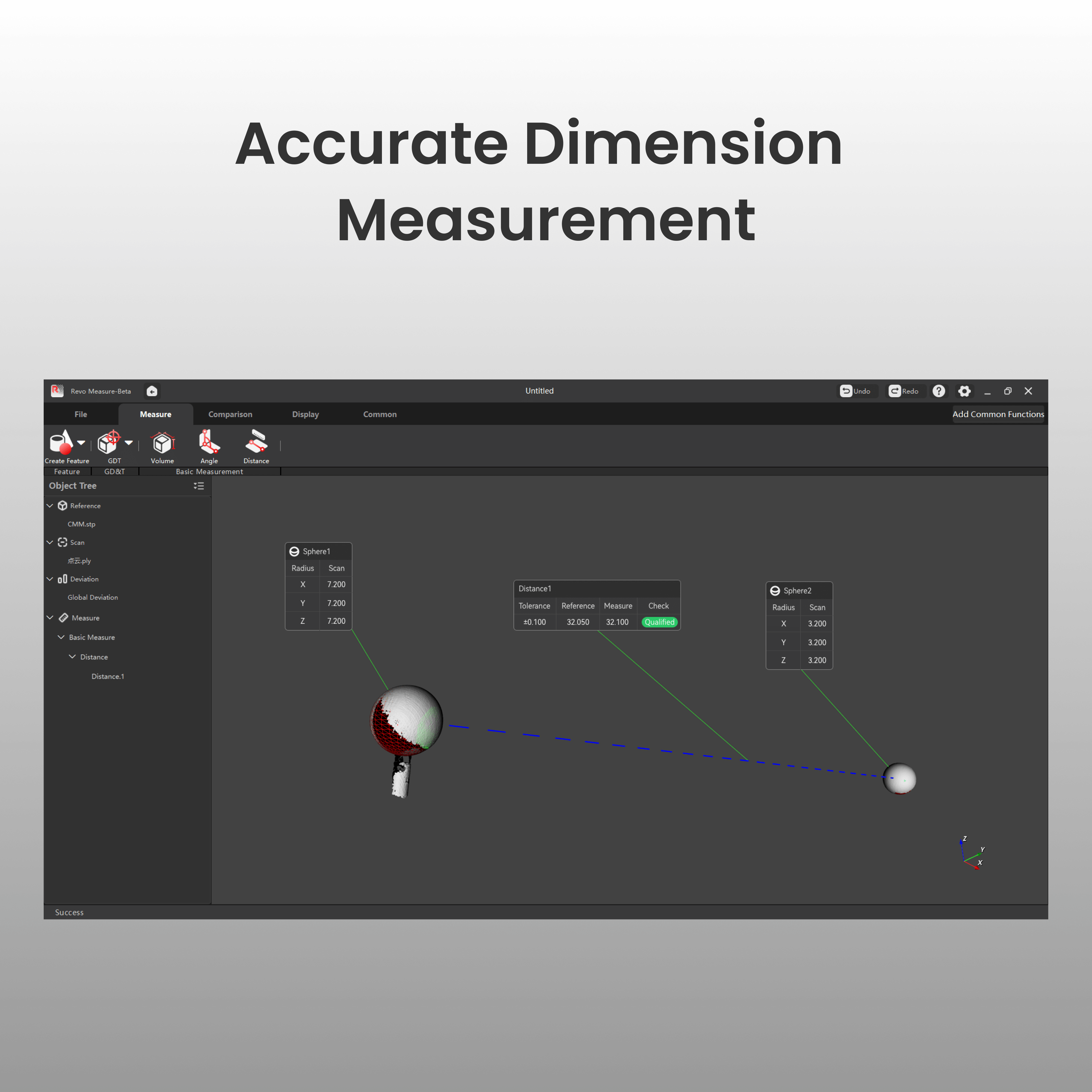
 Accurate Dimension
Measurement -
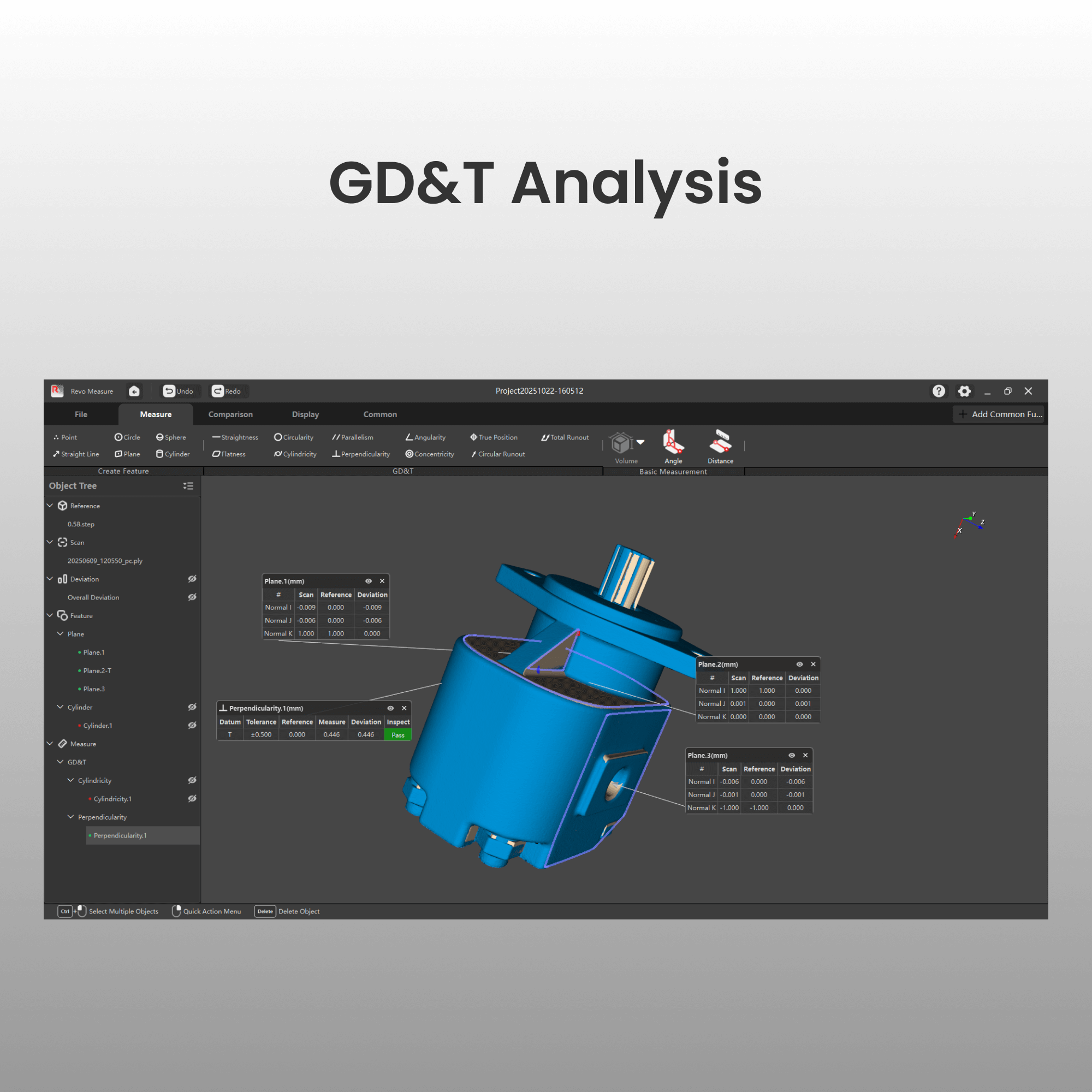
 GD&T Analysis
 -
 Model
Model
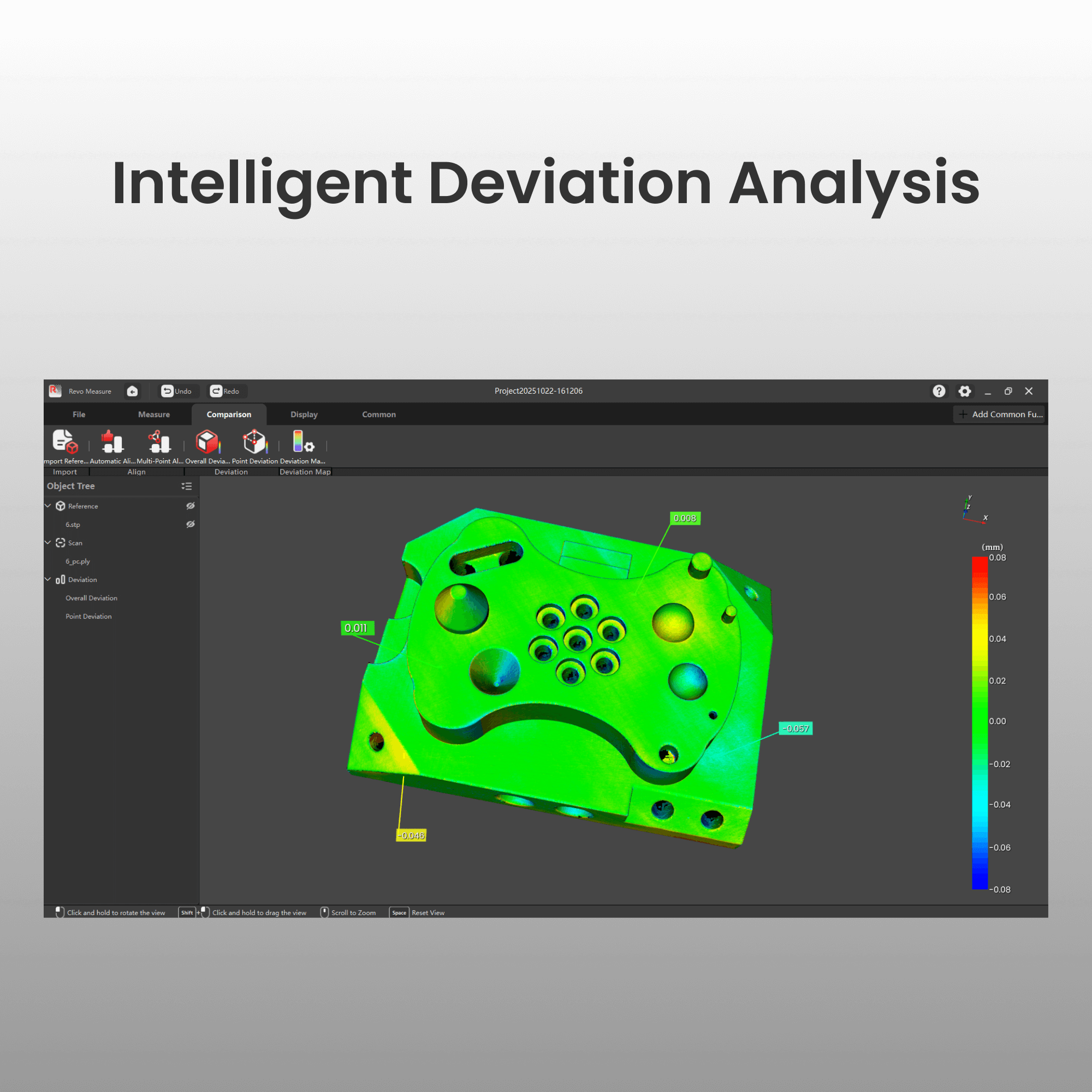
Deviation Analysis -
 Section Creation
and Measurement -
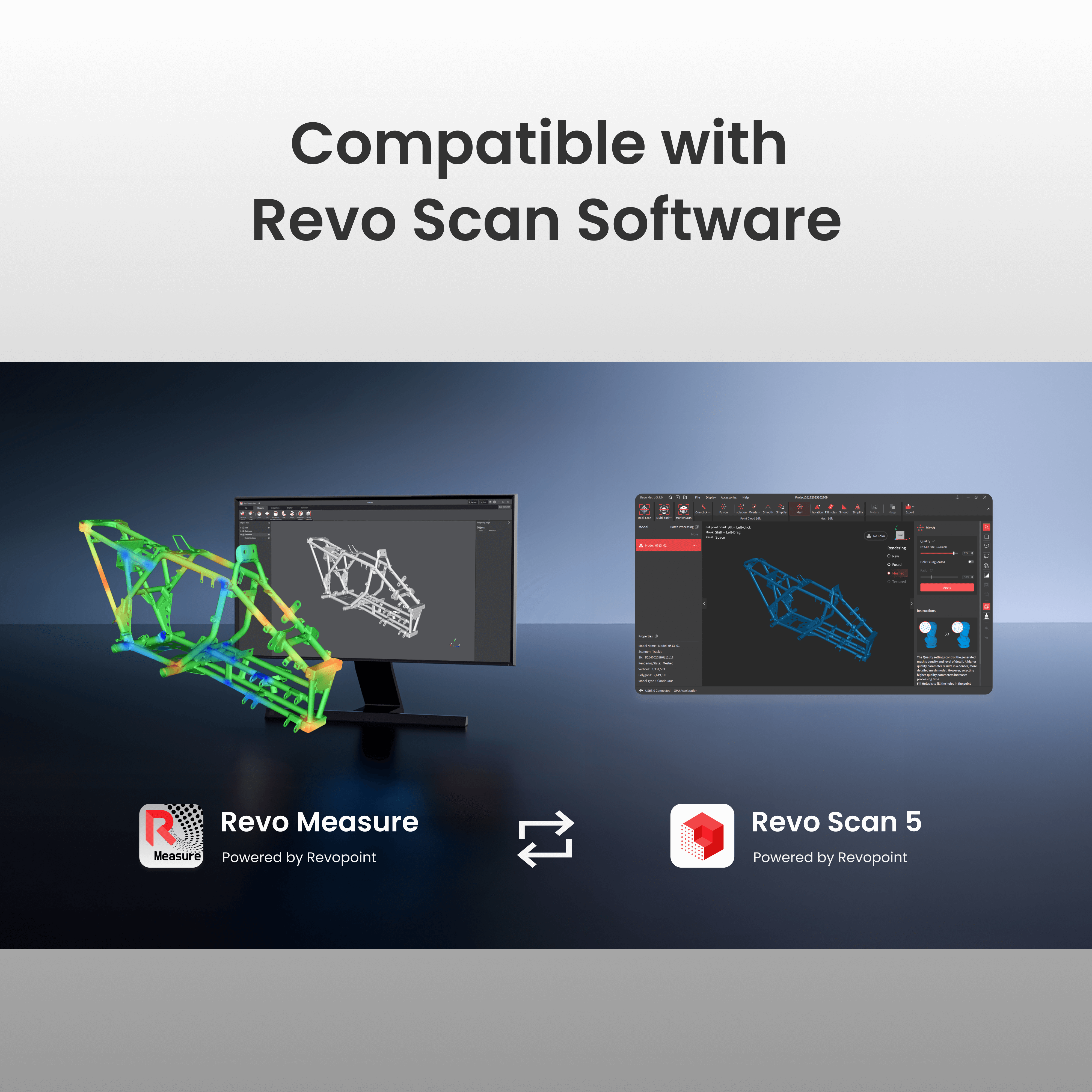
 Seamless Integration with Revo Scan
 -
 Measurement
Report Export -
 User-friendly
Interface -
 Texture Mapping
Visualization -
 Cross-Section
Measurement


Powerful Tools
for Accurate Measurement
Revo Measure is professional 3D metrology software that evaluates shape, dimensions, and quality by comparing point cloud or mesh data to CAD models or drawings. Seamless one-click integration with Revo Scan ensures a smooth and efficient quality control workflow.
*Supported Languages: English, Chinese, Traditional Chinese, French, German, Italian, Spanish, Japanese, Korean, Russian, Portuguese, Turkish.


PTB Certification: Verified Accuracy You Can Trust
The measurement algorithms in Revo Measure have undergone comprehensive evaluation by PTB (Physikalisch-Technische Bundesanstalt), Germany’s Federal Institute of Metrology. This certification confirms that Revo Measure meets internationally recognized standards for precision and reliability.


Accurate Dimension Measurement
Accurately extract key parameters, such as dimensions, angles, and volume, through high-precision measurement of point clouds and meshes.

GD&T Analysis
Perform design verification and ensure assembly accuracy with comprehensive Geometric Dimensioning and Tolerancing (GD&T) tools for evaluating form and geometric tolerances.

Intelligent Deviation Analysis
Quickly identify machining deviations or assembly issues using detailed color maps that highlight overall or localized errors. Supports importing CAD models for rapid comparison and deviation analysis between scanned and CAD models.

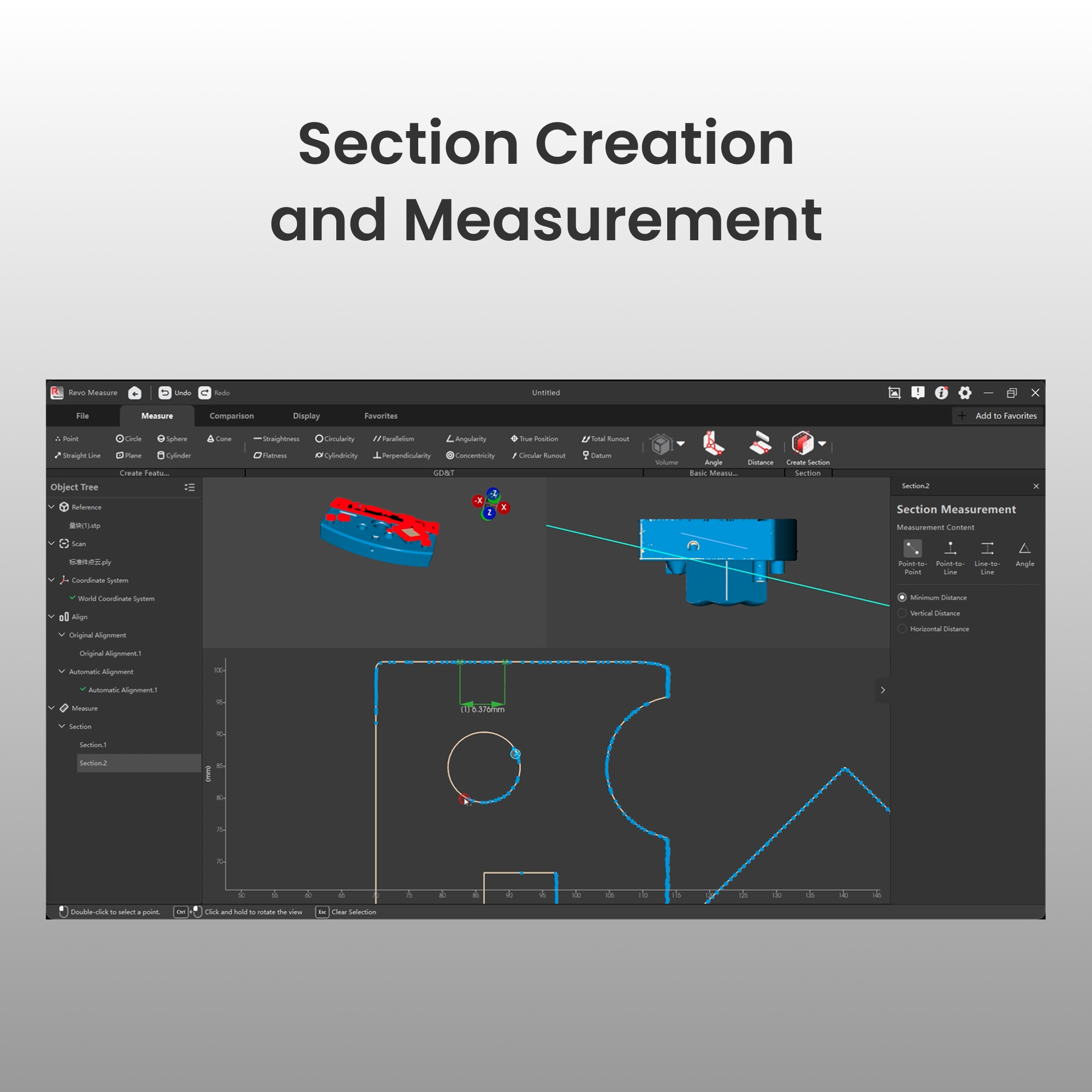
Cross-Section Measurement
Create cross-sections interactively and extract key dimensions and angles with precision. Ideal for analyzing complex internal structures.

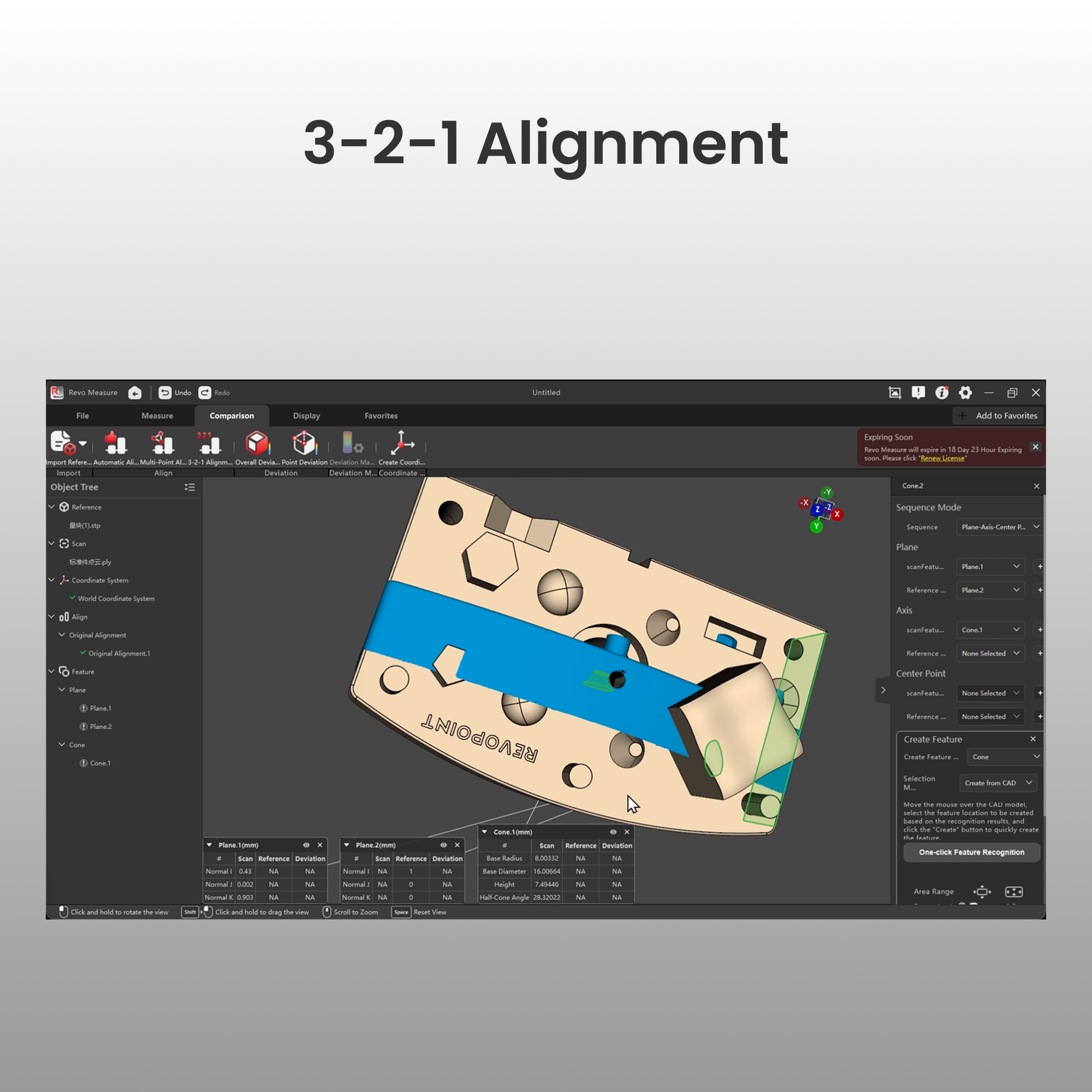
3-2-1 Alignment
Align scan data to CAD models with high precision using seven plane-axis-point sequence combinations. Delivers stable, reliable results for complex parts and conical or cylindrical components.

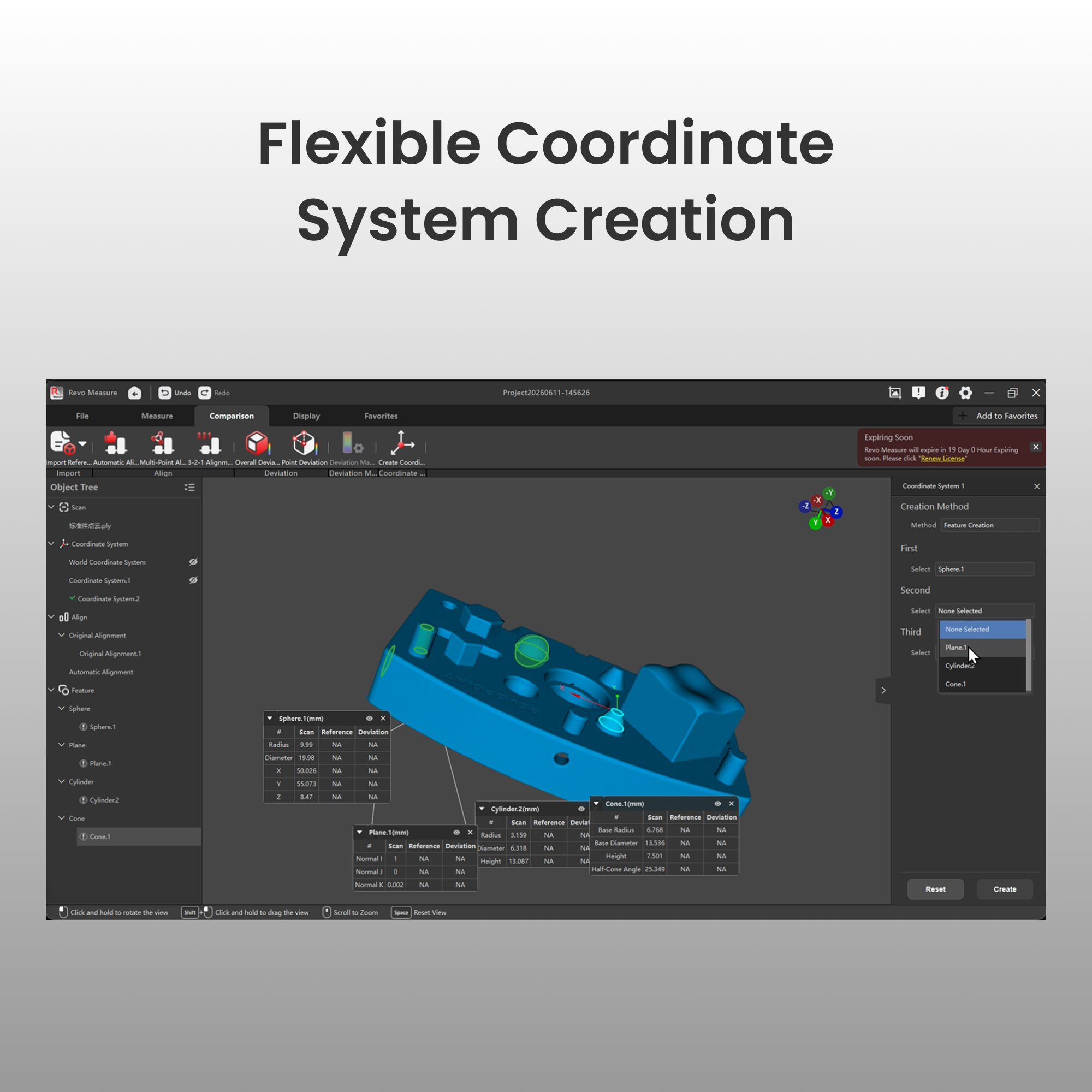
Flexible Coordinate System Creation
Define origins and axes using numerical input, feature selection, or translation/rotation to unify measurement references across all tasks.

One-Click Template Measurement
Perform a measurement process, save it as a template, and reuse it for automated batch processing. Real-time file monitoring automatically detects and measures new files, greatly enhancing inspection efficiency.

One-Click Feature Recognition and Creation
Automatically identify circular, cylindrical, spherical, planar, and conical features from CAD models with a single click. Batch creation replaces manual selection, significantly improving efficiency.

Support for Multiple Data Formats
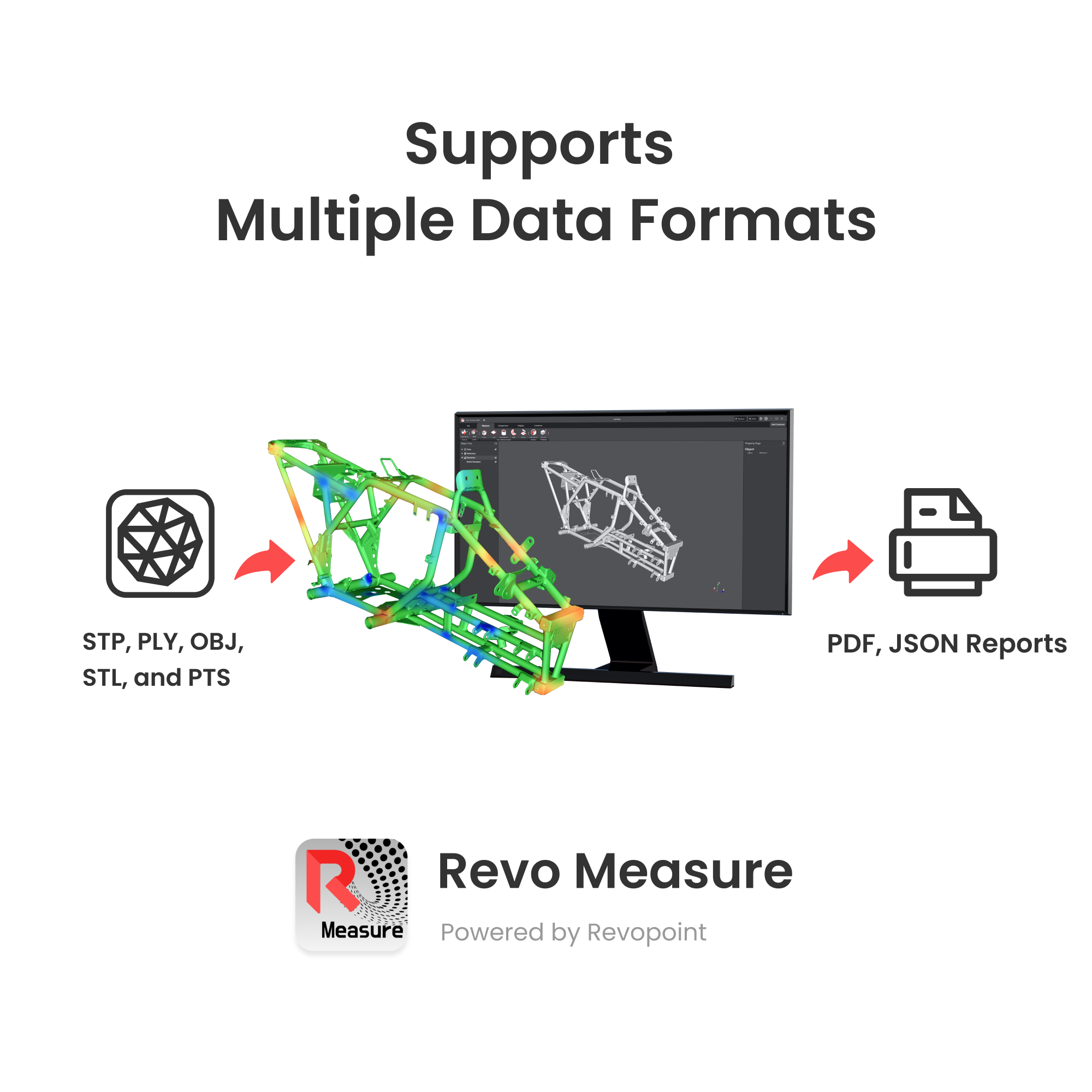
Works seamlessly with 3D scanners and supports importing CAD models, point clouds, and mesh files in major formats like STP, PLY, OBJ, STL, and PTS, ensuring broad compatibility.

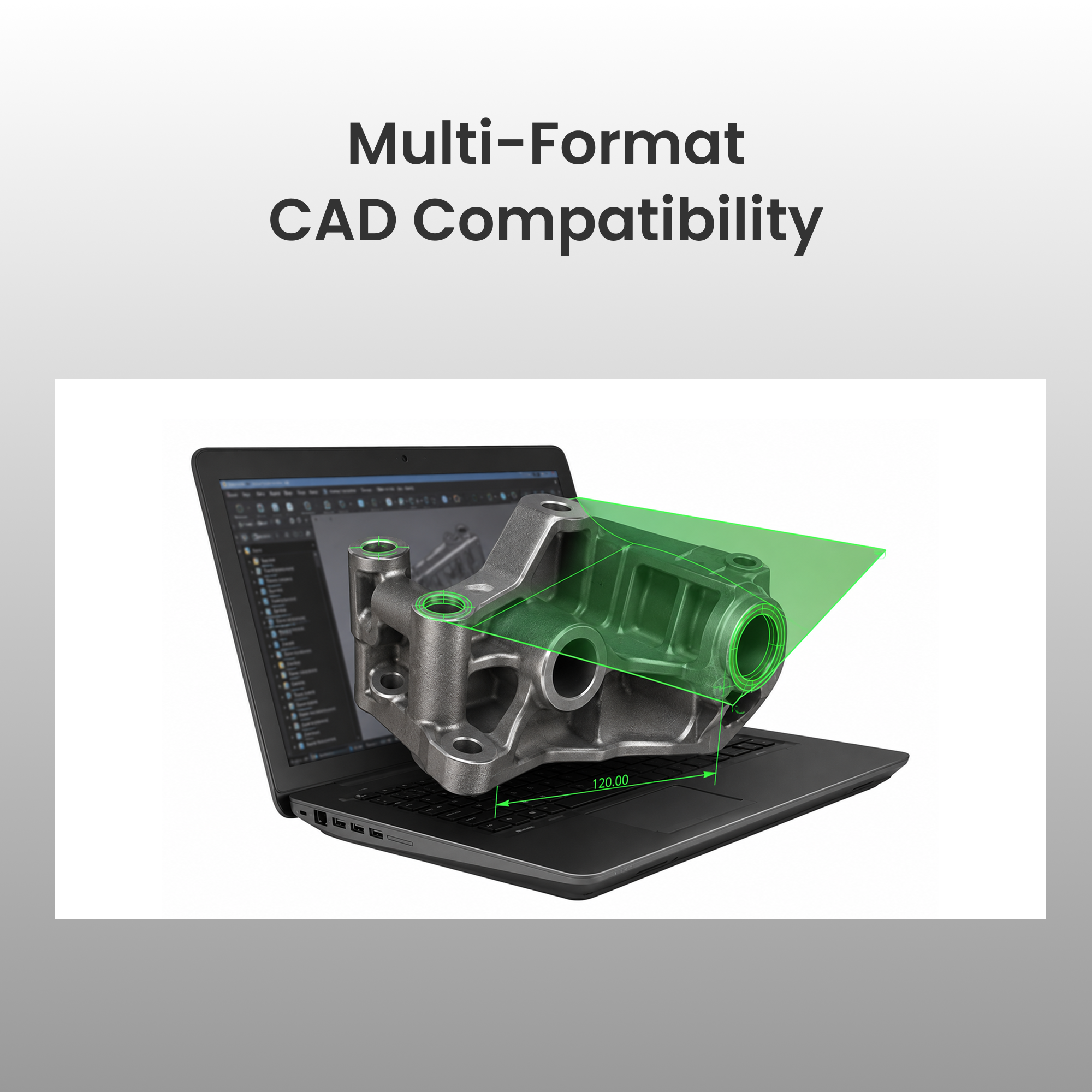
Multi-Format CAD Compatibility
Support import CAD models in native and industry-neutral formats directly for alignment, comparison, and measurement — no file conversion required.

Measurement Export Reports
Export standardized PDF or JSON reports featuring measurement data, deviation analysis graphs, and color maps for easy presentation and record-keeping.

Texture Mapping Visualization
Enhance measurement accuracy and presentations with color-mapping data captured during the scan, making it easier to interpret and visualize details.

Compatible with Revo Scan Software
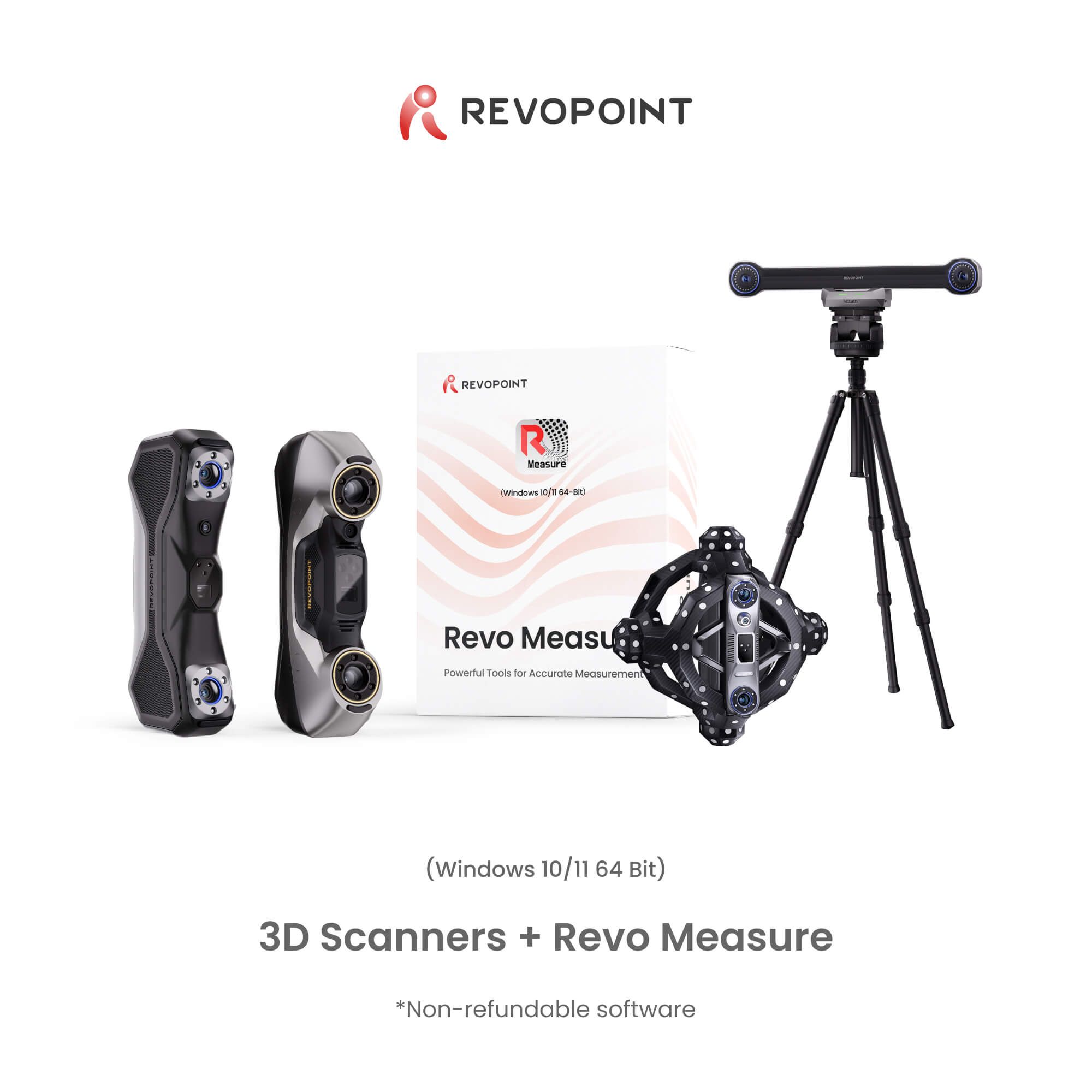
Seamlessly import point clouds and meshes created in all Revopoint scanning software into Revo Measure for an integrated workflow.
SDK Based Customization (Coming Soon)
Meet personalized measurement and analysis needs by creating custom software modules, algorithms, or functions within the SDK and integrating them into Revo Measure as plugins.
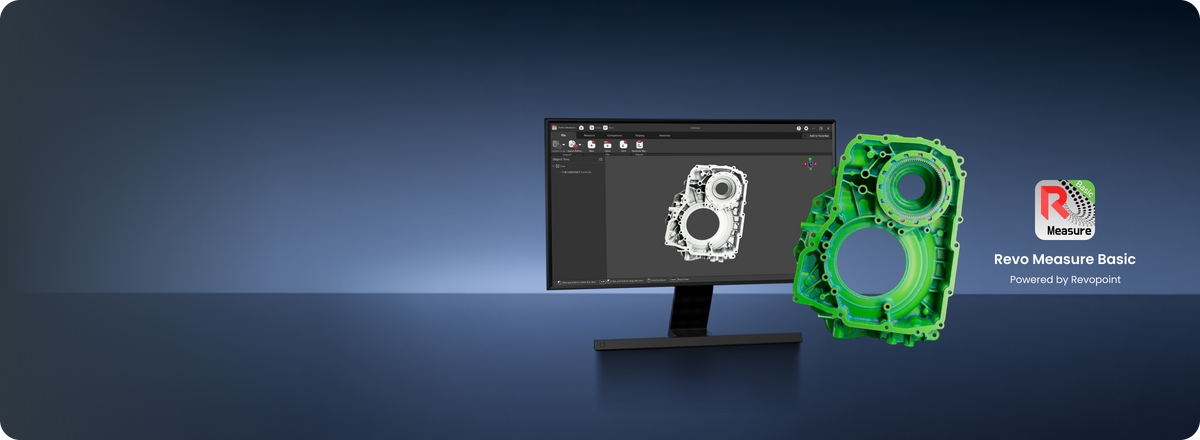
No activation code needed. Download free and explore core 3D measurement — with essential features to get you started.
Key Features
|
Features
|
Revo Measure
|
Revo Measure Basic |
|---|---|---|
|
Supported Import File Formats
|
||
|
Point Cloud: *.ply *.pts *.xyz *.csv *.asc *.txt
|
√
|
√
|
|
Mesh: *.ply *.stl *.obj *.3mf
|
√
|
√
|
|
CAD: *.stp *.step *.igs *.iges *.ipt *.iam *.catpart *.catproduct *.sldasm *.sldprt *.asm *.par *.psm *.x_b *.x_t *.jt *.sat *.sab *.3dxml *.model *.prc *.ifc *.vda etc.
|
√
|
✗
|
|
Supported Export File Formats
|
||
|
*.pdf
|
√
|
✗
|
|
*.json (supports secondary development)
|
√
|
✗
|
|
CAD and Scan Model Alignment
|
||
|
Automatic Alignment
|
√
|
√
|
|
Manual Alignment - N-Point Alignment
|
√
|
√
|
|
3-2-1 Alignment
|
√
|
✗
|
|
Supported Features
|
||
|
Point Feature
|
√
|
√
|
|
Line Feature
|
√
|
√
|
|
Plane Feature
|
√
|
√
|
|
Circle Feature
|
√
|
√
|
|
Cylinder Feature
|
√
|
√
|
|
Sphere Feature
|
√
|
√
|
|
Cone Feature
|
√
|
√
|
|
Creation Methods
|
||
|
Smart Fit Creation
|
√
|
√
|
|
Point Selection Fit
|
√
|
√
|
|
Input Coordinate Creation
|
√
|
√
|
|
Create from Auxiliary Objects
|
√
|
√
|
|
Create from Reference Mesh
|
√
|
√
|
|
Create from CAD
|
√
|
✗
|
|
Create Datum (23 in total)
|
√
|
√
|
|
GD&T
|
||
|
Straightness
|
√
|
✗
|
|
Flatness
|
√
|
✗
|
|
Roundness
|
√
|
✗
|
|
Cylindricity
|
√
|
✗
|
|
Concentricity
|
√
|
✗
|
|
Position
|
√
|
✗
|
|
Parallelism
|
√
|
✗
|
|
Perpendicularity
|
√
|
✗
|
|
Angularity
|
√
|
✗
|
|
Circular Runout
|
√
|
✗
|
|
Total Runout
|
√
|
✗
|
|
Distance Measurement
|
||
|
Point to Point
|
√
|
√
|
|
Point to Line
|
√
|
√
|
|
Line to Line
|
√
|
√
|
|
Line to Plane
|
√
|
√
|
|
Plane to Plane
|
√
|
√
|
|
Angle Measurement
|
||
|
Line to Line
|
√
|
√
|
|
Line to Plane
|
√
|
√
|
|
Plane to Plane
|
√
|
√
|
|
Volume Measurement
|
||
|
Overall Model Volume
|
√
|
√
|
|
Deviation Analysis
|
||
|
Overall Deviation
|
√
|
√
|
|
Point Deviation
|
√
|
√
|
|
Mesh Rendering
|
||
|
Wireframe Rendering
|
√
|
√
|
|
Mesh Rendering
|
√
|
√
|
|
Vertex Rendering
|
√
|
√
|
|
Texture Rendering
|
√
|
√
|
|
CAD Rendering
|
||
|
Solid Rendering
|
√
|
✗
|
|
Wireframe Rendering
|
√
|
✗
|
|
Solid Wireframe Rendering
|
√
|
✗
|
|
View
|
||
|
Best Fit Zoom
|
√
|
√
|
|
Initial Pose
|
√
|
√
|
|
One-Click Template Measurement
|
√
|
✗
|
|
Deviation Map Settings
|
√
|
√
|
|
Add Frequently Used Functions
|
√
|
√
|
|
Set Model Display Color
|
√
|
√
|
|
Reference Plane Selection Method
|
||
|
Coordinate System as Reference Plane
|
√
|
✗
|
|
Feature as Reference Plane
|
√
|
✗
|
|
Cross-Section Selection Method
|
||
|
Vertical
|
√
|
✗
|
|
Parallel
|
√
|
✗
|
|
Line
|
√
|
✗
|
|
Perpendicular Line
|
√
|
✗
|
|
Parallel Line
|
√
|
✗
|
|
Cross-Section Measurement
|
||
|
Point-Point
|
√
|
✗
|
|
Point-Line
|
√
|
✗
|
|
Line-Line
|
√
|
✗
|
|
Point-Circle
|
√
|
✗
|
|
Circle-Line
|
√
|
✗
|
|
Circle-Circle
|
√
|
✗
|
|
Angle
|
√
|
✗
|
|
Arc R
|
√
|
✗
|
|
Corner R
|
√
|
✗
|
|
Diameter
|
√
|
✗
|
|
Circumference
|
√
|
✗
|
|
Thickness
|
√
|
✗
|
|
Reference Cross-Section Comparison
|
||
|
Point-Point
|
√
|
✗
|
|
Point-Line
|
√
|
✗
|
|
Line-Line
|
√
|
✗
|
|
Angle
|
√
|
✗
|
|
Create Coordinate System
|
||
|
Numeric Creation
|
√
|
√
|
|
Feature Creation
|
√
|
√
|
|
Translation and Rotation
|
√
|
√
|
| Format | Version | Suffixe(s) |
|---|---|---|
| 3MF | 1.2.3 | 3MF |
| Autodesk Inventor | Up to 2026 | IPT, IAM |
| CATIA V5 | Up to V5-6R2026 | CATPart, CATProduct |
| IGES | 5.1, 5.2, 5.3 | IGS, IGES |
| Parasolid | Up to 38.1 | X_B, X_T |
| Solid Edge | 1 to 20, ST1 to ST10, 2019 to 2026 | ASM, PAR, PSM |
| SolidWorks | From 97 up to 2026 | SLDASM, SLDPRT |
| STEP | AP 203 Ed1, Ed2 - AP 214 - AP 242 Ed1, Ed2, Ed3 | STP, STEP |
| STEP | AP 203 Ed2, AP 214 Ed1, AP 242 Ed1, Ed2, Ed3 | STPZ |
| NX - Unigraphics | UG11 to UG18, UG NX, NX5 to NX12, NX1847 to NX2512 | PRT* |
| Creo - Pro/E | Pro/Engineer 19.0 to Creo 12.4.0.0 | ASM* |
| JT | Up to v10.10 | JT |
| NX - Unigraphics | UG11 to UG18, UG NX, NX5 to NX12, NX1847 to NX2512 | PRT |
| ACIS | From 1.3 (103) to 35.0 (3500) | SAT |
| ACIS | From 1.3 (103) to 35.0 (3500) | SAB |
| CATIA V6 / 3DExperience | 3DXML 4.3 | 3DXML |
| CATIA V4 | Up to 4.2.5 | MODEL |
| PRC | All Versions | PRC |
| IFC | IFC2 up to 2.3.0.1, IFC4 up to 4.3 | IFC |
| VDA-FS | Version 1.0 and 2.0 | VDA |
From Scanning to 3D Measurement
Step 1: Capture and Import to Revo Measure


Step 2: Perform CAD Model Comparison and Error Analysis


Step 3: Export the Report



24/7 Customer Services

Supports 12 Languages

Export Reports: PDFs, json
FAQ
Welche Sprachen unterstützt Revo Measure?
Revo Measure unterstützt: Französisch, Englisch, Deutsch, Italienisch, Spanisch, Japanisch, Koreanisch, Russisch, Portugiesisch, Türkisch, Chinesisch (vereinfacht) und Chinesisch (traditionell).
Wie wird das Produkt geliefert?
Die Software wird digital bereitgestellt – es erfolgt kein physischer Versand. Sie erhalten einen Lizenzschlüssel zur Aktivierung von Revo Measure. Nach der Aktivierung ist eine Rückgabe oder Rückerstattung nicht möglich.
Wie lange dauert die Lieferung nach der Bestellung?
Wir senden den Lizenzschlüssel innerhalb von drei Werktagen nach Bestelleingang an Ihre E-Mail-Adresse.
Was sind die Systemanforderungen für Revo Measure?
Mindestanforderungen:
Laptop oder PC mit Windows 10/11 (64-Bit)
CPU: ≥ 8 Kerne, ≥ 16 Threads, Basistakt ≥ 2,4 GHz
RAM: ≥ 32 GB
Prozessor: Intel i7 12. Generation oder AMD Ryzen 7 5800
GPU: NVIDIA GeForce RTX 3050 (8 GB)
Empfohlen: Internetverbindung für Updates und Aktivierung (optional)
Welche Import-/Exportformate unterstützt Revo Measure?
Quels formats Revo Measure prend-il en charge pour l'importation et l'exportation ?
(1) Formats importables
Modèle nuage de points : ply, pts, xyz, csv, asc, txt
Modèle maillé : stl, obj, ply, 3mf
Modèle CAO : ipt, iam, catpart, catproduct, sldasm, sldprt, asm, par, psm, X_B, X_T, igs, iges, stp, step
(2) Formats exportables
Rapport de mesure : *.pdf, *.json
Muss Revo Measure mit einem Revopoint-Scanner verwendet werden? Können Daten anderer Geräte importiert werden?
Nein, Revo Measure funktioniert auch mit Daten anderer 3D-Scanner. Die Software unterstützt den Import von Punktwolken- und Mesh-Modellen im .ply-Format. Mit einem Revopoint-Scanner können Sie jedoch Messungen per Ein-Klick-Integration starten und Farbmapping-Informationen behalten.
Wie werden Messergebnisse in Revo Measure gespeichert und geteilt?
Messdaten, Abweichungsanalysen und Farbkarten können als standardisierte PDF-Berichte exportiert werden – ideal für Dokumentation und Präsentation.
Was ist der Unterschied zwischen Revo Measure und Revo Design?
Revo Measure ist eine professionelle 3D-Mess- und Inspektionssoftware. Durch den Vergleich von Punktwolken- oder Mesh-Daten mit CAD-Modellen oder technischen Zeichnungen ermöglicht sie eine präzise Bewertung von Form, Abmessungen und qualitätsbezogenen Metriken.
Revo Design ist ein Tool, das für Reverse Engineering, Oberflächenmodellierung und grundlegende Designprojekte entwickelt wurde. Es unterstützt 3D-Skizzieren, intelligentes Oberflächendesign, Freiform-Oberflächenmodellierung und hybride parametrische Modellierung, was es für professionelle Industriedesigns, komplexe Automobiländerungen, den Erhalt des Kulturerbes und umfassende CAD-Bearbeitungsaufgaben geeignet macht.
Wird die Software nach Ablauf automatisch erneuert?
Nein. Die Software wird nicht automatisch erneuert. Nach Ablauf kontaktieren Sie bitte den Kundenservice, um eine neue Lizenz zu kaufen und einen neuen Aktivierungscode zu erhalten.
Was sind die Unterschiede zwischen den Revo Measure Lizenztypen?
Personal Edition: Aktivierung auf einem PC. Nutzung nur auf diesem PC.
Professional Edition: Aktivierung auf bis zu 3 PCs. Gleichzeitige Nutzung ist nur auf diesen PCs erlaubt.
Team Edition: Aktivierung auf bis zu 10 PCs. Gleichzeitige Nutzung ist nur auf diesen PCs erlaubt.
Wie kann ich Revo Measure für weitere PCs erhalten, wenn ich die Personal Edition gekauft habe?
Zusätzliche PC-Aktivierungen sind über das Revo Measure PC Add-On Pack oder durch Kontaktaufnahme mit dem Kundenservice unter customer@revopoint3d.com möglich.