


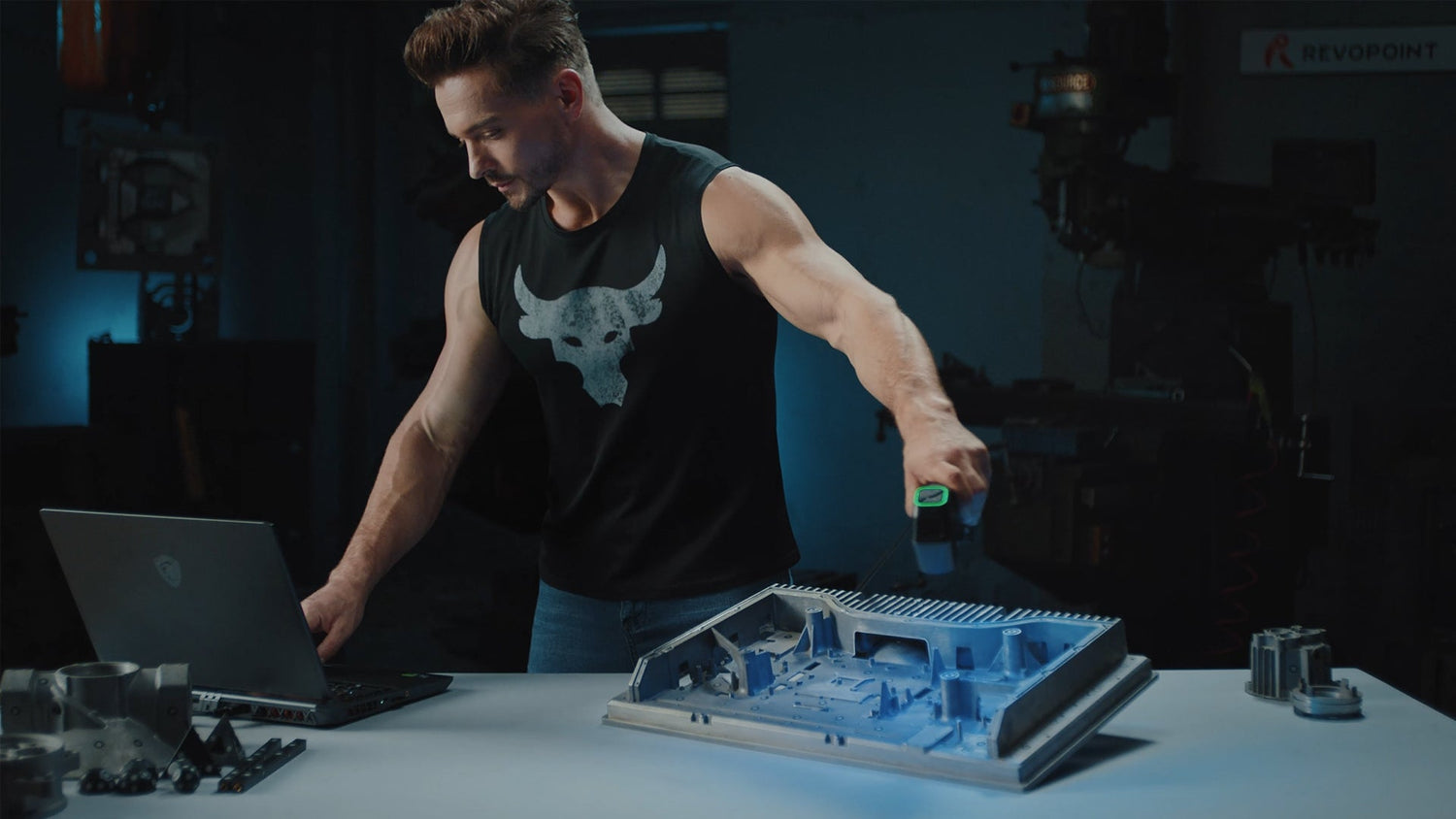
Bringing small and medium objects into the digital world is a task that tests the limits of 3D scanning technology. Whether digitizing gears, watch movements, intricate jewelry, circuit boards, coins, or collectible models, every groove, edge, and texture must be captured with accuracy. The need for fine resolution and reliable workflow is more pronounced than ever, as engineers, designers, and archivists rely on digital replicas for reverse engineering, quality control, rapid prototyping, and preservation. Within this landscape, blue laser 3D scanners—especially the MetroY and MetroY Pro—stand out for their ability to deliver precision and efficiency, making them top choices for professionals who refuse to compromise on detail.
Why Specialized Scanners Are Essential for Small to Medium Objects
Small and medium-sized objects often feature complex geometries: fine threads, sharp corners, deep recesses, or highly reflective surfaces. Scanning these objects with generic or entry-level equipment can result in missed features, noise, or inaccurate models. For example, the teeth of a precision gear, the relief on a coin, or the facets of a gemstone require sub-millimeter accuracy and dense point clouds. Blue laser 3D scanners, with their short wavelength and high sensitivity, are uniquely suited to this challenge, providing noise-resistant scans and exceptional detail—even on shiny or dark surfaces.

Blue Laser Technology: The Core of Detail and Adaptability
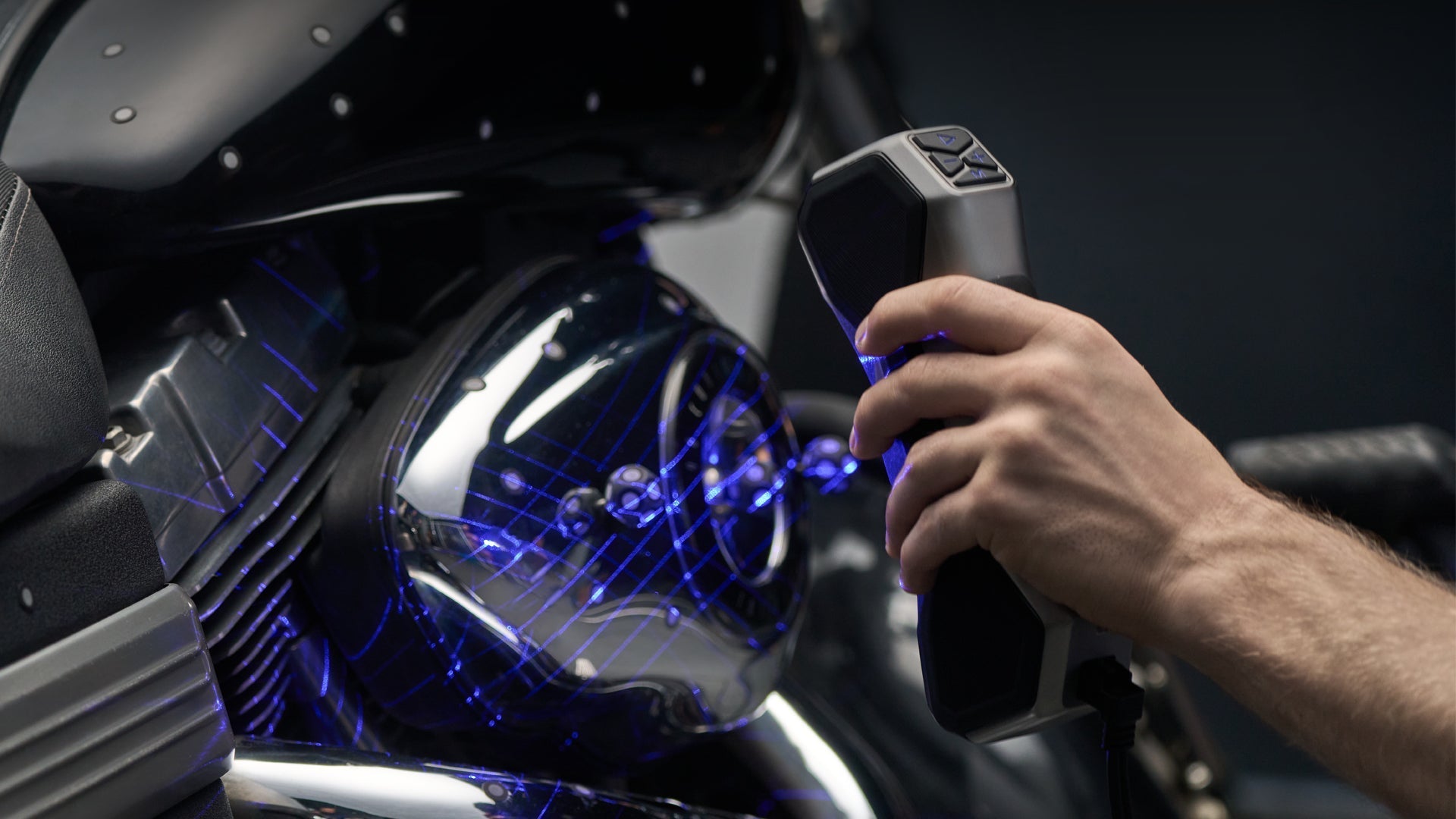
Blue laser scanners outperform traditional white light or single-line systems by projecting multiple, finely calibrated blue laser lines onto the object. This multi-line approach enhances data density and edge detection, capturing subtle features and textures. The short wavelength of blue light resists interference from ambient lighting and is less susceptible to surface reflections, allowing for accurate scanning of polished metals, dark polymers, or multi-material assemblies.
Workflow Efficiency and Automation
The automation capabilities of advanced blue laser scanners—such as an auto turntable—minimize manual intervention and ensure repeatable, comprehensive scans. This is crucial when scanning multiple similar objects or when uniform coverage is essential, such as for inspection reports or archival documentation. Real-time temperature monitoring and robust build quality help maintain consistent accuracy, even in fluctuating environments.

Integrated Digital Workflow
Modern blue laser scanners are complemented by robust software ecosystems that anchor the scanning process with real-time visualization, mesh editing, and compatibility with major file formats (STL, OBJ, PLY, etc.). Advanced modules support scan-to-CAD workflows, dimensional analysis, and automated reporting, bridging the gap between physical capture and digital application.
Industry Applications: Practical Scenarios
Reverse Engineering:
Digitize obsolete parts, such as custom gears, fasteners, or small assemblies, for reproduction, analysis, or redesign.
Quality Inspection:
Compare batches of injection-molded or machined parts directly to CAD models, identifying deviations or defects.
Product Design and Prototyping:
Quickly capture design iterations of jewelry, miniatures, or consumer products, ready for 3D printing or virtual review.
Archiving and Digital Preservation:
Build digital repositories of coins, medals, collectible toys, or art pieces, preserving every texture and mark for the future.
MetroY and MetroY Pro: A Closer Look

MetroY:
Lightweight and portable, MetroY offers cross-line, parallel-line, and single-line scanning modes. It excels in handheld scanning, making it suitable for fieldwork, workshops, or any situation requiring mobility. Engineers use it to digitize gears, bolts, or PCBs directly on-site, while designers appreciate its speed and accuracy for model-making and prototyping.
MetroY Pro:
Building on MetroY’s foundation, the Pro model adds Full-field Structured Light and Auto Turntable for automated, hands-free scanning. This is essential for batch processing (e.g., scanning a run of small brackets for quality control) or digitizing complex items like collectible figurines, ornate jewelry, or die-cast components.
How to Scan: A Step-by-Step Introduction
Preparation and Setup
Place the object—such as a machined bracket, watch gear, jewelry piece, or injection-molded prototype—on a stable surface or, for MetroY Pro users, on the automated dual-axis turntable. Proper object orientation minimizes occlusions and optimizes coverage. For highly reflective or transparent items, minimal surface prep may be required, but the blue laser’s wavelength typically handles such surfaces well without additional sprays.
Choosing the Right Scanning Mode
Cross-line Mode: Ideal for fast surface capture of coins, flat brackets, or circuit boards.
Parallel-line Mode: Suited for objects with fine edges, such as gears, miniature impellers, or metal fasteners.
Single-line Mode: Best for deep grooves or internal features, like sockets in a connector or recesses on a prototype part.
Structured Light (MetroY Pro): Enables rapid, markerless digitization of multi-textured objects, such as art figurines or ornate jewelry.
Auto Turntable (MetroY Pro): Automates 360-degree coverage, reducing manual repositioning and ensuring comprehensive data capture for objects like collectibles or die-cast housings.
Active Scanning and Monitoring
Activate the scanner and follow the real-time feedback on your device, enabled by Wi-Fi 6 connectivity. Watch as the point cloud forms, and pause to fill in any areas that show gaps or low density. The intuitive workflow means you can adjust scanning parameters on the fly, ensuring no detail is overlooked.
Post-Processing in Revo Metro Software
After scanning, use Revo Metro to align multiple scans, merge point clouds, and clean up the mesh. Features such as mesh editing, hole filling, and texture mapping prepare the model for downstream uses—be it CAD inspection, 3D printing, or archiving.
Real-World Example: Scanning a Watch Gear
To digitize a finely-toothed watch gear, place the gear on the turntable, select parallel-line mode for maximum edge definition, and begin scanning. The blue laser lines resolve even the smallest teeth and grooves. If the object has complex undercuts, use the auto turntable feature to rotate and tilt the gear, ensuring every surface is captured. Review the scan in Revo Metro, fill any holes, and export the mesh for CAD inspection or rapid prototyping.
Sustainability and Long-Term Value
The MetroY series is built for long-term use, with recalibration options and modular accessories to adapt to changing project needs. Continuous software updates and accessible support help organizations stay ahead as digital manufacturing evolves.
Conclusion
When it comes to scanning small to medium objects—be it gears, jewelry, electronic parts, coins, or collectibles—the MetroY and MetroY Pro blue laser 3D scanners deliver unmatched precision, workflow flexibility, and user-friendly automation. Their advanced technology makes them indispensable tools for engineering, design, quality control, and digital archiving. With the MetroY series, professionals can confidently bridge the physical and digital worlds, ensuring every detail is faithfully preserved from the workbench to the virtual workspace.


Laisser un commentaire
Ce site est protégé par hCaptcha, et la Politique de confidentialité et les Conditions de service de hCaptcha s’appliquent.