


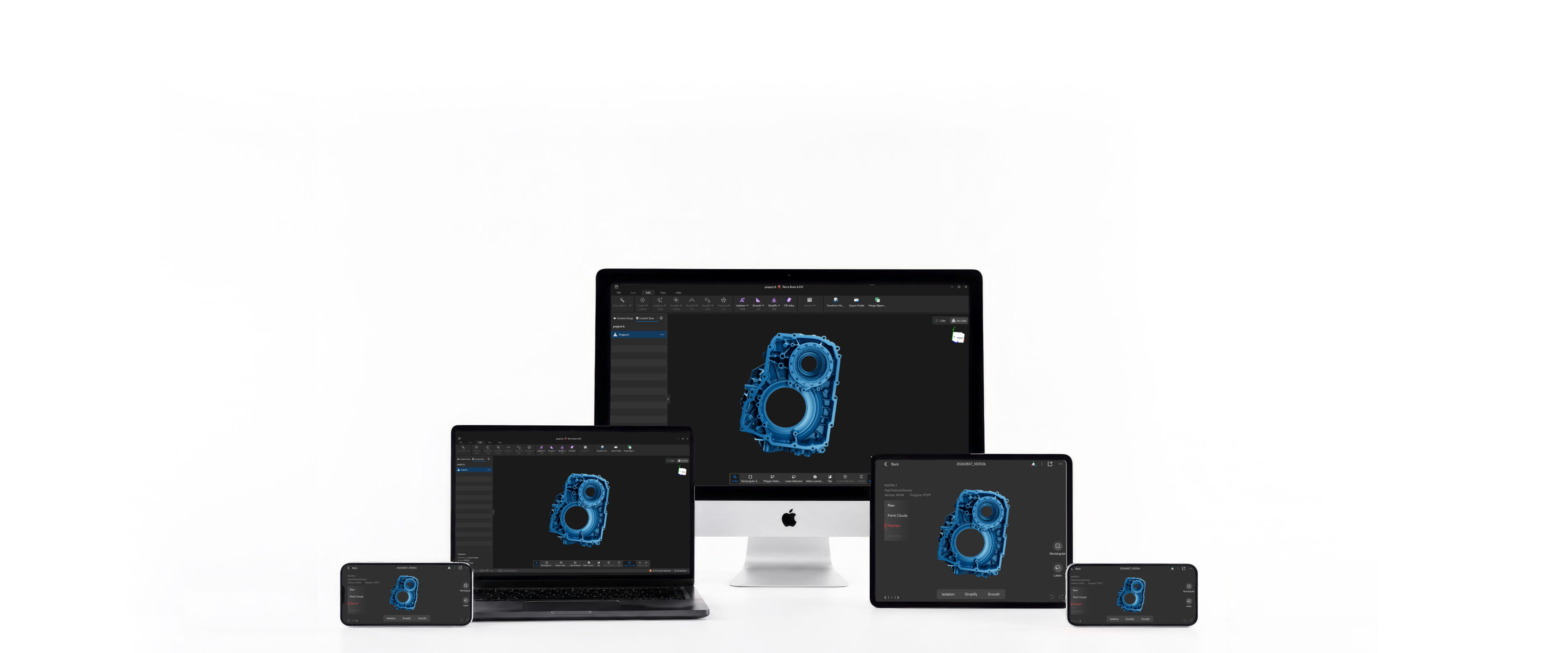
 Revo Scan 6
AI-Powered 3D Scanning & Post-Processing Software
 AI 3DGS
Rendering
 GPU
GPUAccelerated Fusion
 Win / Mac
Desktop Platforms
 iOS / Android
Mobile Platforms
 Versatile
Output Formats
Key Features
Revo Scan 6 covers your entire 3D workflow — from real-time capture to export-ready models.
AI-Powered Object Segmentation & Tracking
Automatically isolate objects from backgrounds using AI segmentation in Revo Scan 6 — streamlining your post-processing workflow.
*For POP 4 / INSPIRE 2 only.
3D Gaussian Splatting (3DGS)
Generate immersive, photorealistic 3D representations with 3DGS AI rendering technology. Export directly in .splat format.
*For POP 4 / INSPIRE 2 only.

GPU-Accelerated Fusion
GPU acceleration for faster point cloud fusion and mesh generation.
① GPU acceleration is only supported on the following models:
RTX 3050、RTX 3060、RTX 3060 Ti、RTX 3070、RTX 3070 Ti、RTX 3080、RTX 3080 Ti、RTX 3090、RTX 4060、RTX 4060 Ti、RTX 4070、RTX 4070 Ti、RTX 4080、RTX 4090、RTX 2080 Super、 RTX 2070 Super、RTX 2060 Super、RTX 3050 ADA、RX 9060、RX 7700、RX 9070、RX 6750、RX 6600
② Compatible Device:
POP 4, INSPIRE 2
Powerful One-click Editing
Automatically process your model or manually adjust parameters for precise point cloud and mesh editing.
Powerful Editing Tools
Point Cloud Edit
Clean up and refine raw scan data — remove isolated points and fuse frames to produce a high-quality point cloud ready for meshing.
Mesh Edit
Further optimize the initial mesh generated from the point cloud — enhancing model structure, surface quality, and texture mapping.

Transform Model
Reposition point clouds, meshes, and textured models by rotating, dragging, or entering precise coordinate values — ideal for optimizing model orientation before 3D printing or export.

High Resolution Texture Mapping
Apply color data captured by the RGB camera to the mesh — creating a high-quality, true-to-life colored 3D model.
Multi-Model Alignment
Align and merge multiple scans into a single unified model with ease.
Universal Export Formats
Export to .OBJ, .STL, .PLY, .3MF, .ASC, and more — compatible with all major CAD, 3D printing, and design tools.
Scan to Export — 4 Efficient Steps, One Software
Granular scan settings let you control every aspect of the scanning process, ensuring optimal point cloud capture.
Scanner Software For Free


PC Update Notes
2. Adds a toggle to remove isolated elements during point cloud Fusion.
3. Supports importing and exporting Global Markers in PLY point cloud format.
4. Adds Global Marker scan quality when creating Global Markers.
5. Adds Laser Line scanning to Color tracking mode (note: the computer must have a dedicated graphics card, and POP 4 must be updated to firmware later than v5.3.99).
6. Adds a scan quality map for VCSEL fast scanning in Color tracking mode.
7. Models created with Laser Line scanning now support Texture Capture using additional photos taken after scanning with a smartphone or DSLR camera.
8. Adds support for editing the Raw Point Cloud. In Laser Line scanning mode, projects containing markers also allow marker editing in the Raw Point Cloud.
9. Models created with Laser Line scanning now support 3DGS training after being merged.
10. Merged models now support training with 3DGS Image Supplement using additional photos taken with a smartphone or DSLR camera.
11. Fixes some known issues.
2. Adds a toggle to remove isolated elements during point cloud Fusion.
3. Supports importing and exporting Global Markers in PLY point cloud format.
4. Adds Global Marker scan quality when creating Global Markers.
5. Adds Laser Line scanning to Color tracking mode (note: the computer must have a dedicated graphics card, and POP 4 must be updated to firmware later than v5.3.99).
6. Adds a scan quality map for VCSEL fast scanning in Color tracking mode.
7. Models created with Laser Line scanning now support Texture Capture using additional photos taken after scanning with a smartphone or DSLR camera.
8. Adds support for editing the Raw Point Cloud. In Laser Line scanning mode, projects containing markers also allow marker editing in the Raw Point Cloud.
9. Models created with Laser Line scanning now support 3DGS training after being merged.
10. Merged models now support training with 3DGS Image Supplement using additional photos taken with a smartphone or DSLR camera.
11. Fixes some known issues.
2. Point cloud merging for Line Laser scanning now supports GPU acceleration, improving merge processing efficiency.
3. Adds Smart Trim for objects scanned with Line Laser.
4. Supports adjusting the target point distance at any time during Line Laser scanning; model rendering updates in real time accordingly.
5. Adds Two-Point Distance Measurement, supporting point selection on point cloud, mesh, texture, and 3DGS models.
6. Adds Smooth Brush for smoothing local areas of a model.
7. Supports hybrid stitching in Color Stitching mode (color texture + markers), improving stitching stability.
8. Adds 3D mouse support, enhancing 3D model manipulation.
9. Supports deleting scan files currently in editing.
10. Merged and aligned models support 3DGS training (both models must be color models before merging).
11. Fixes POP 4 connection issue on Mac.
12. Adds New Scan and Resume Scan buttons on the Edit page for quick access.
13. Fixes known issues.
2. Adds "3DGS Image Supplement" mode to 3DGS, supporting model training with high-resolution images from mobile phones, professional cameras, and other devices to enhance model quality. (Currently supports POP 4 and INSPIRE 2 only).
3. Supports color texture mapping in POP 4's laser line scanning mode.
4. Supports GPU acceleration for full-field HD scan point cloud fusion, improving fusion efficiency (NVIDIA, AMD, and Mac graphics cards only).
5. Adds transform model function to adjust point clouds, meshes, and textured models to optimal positions for convenient export and further processing.
6. Supports Electric Large Turntable.
7. Supports AMD graphics cards for 3DGS training and AI-powered segmentation.
8. Supports INSPIRE 2 devices with 3DGS and AI-powered segmentation optimization for INSPIRE 2.
9. Adds model perspective synchronization, camera view rotation during scanning automatically syncs the model display view.
10. Supports GPU acceleration compatibility testing for graphics cards: RX 7700 XT, RX 9070 XT, RX 6750 GRE.
11. New mesh generation algorithm – 3x faster processing, reduced waiting time.
12. Fixes some bugs.
Seamless 3D Scanning Ecosystem
Extend your workflow with professional software built for precision measurement, reverse engineering, and 3D inspection.

Revo Measure

Revo Design
Advanced CAD Software for Reverse Engineering

Geomagic
Control X & Design X | 3D Inspection & Reverse Engineering Software
Support


